
Save Animals Ranch Checklist Tool
A repeatable logout routine so offline income and rares survive until next time.
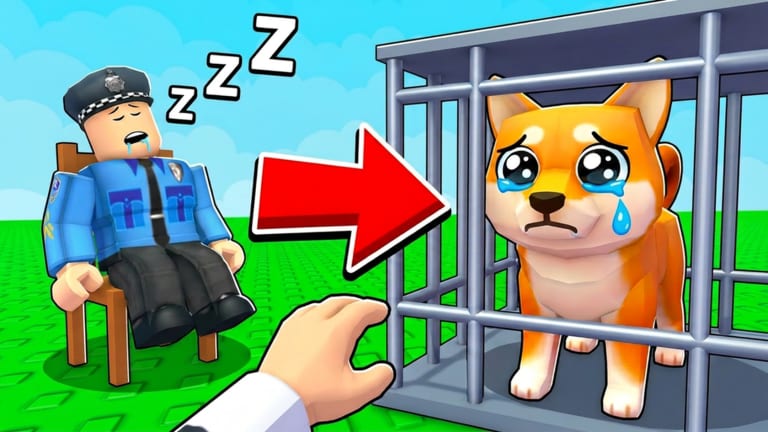
Most lost value in Save Animals happens at session boundaries: empty pads, uncollected cash, unredeemed codes, or rares parked in steal lanes. Tick the list below before you quit.
Ranch readiness checklist
Progress saves in this browser. Use it as a habit, not a one-time audit.
0 / 8 Ready
Why each tick matters
- Best earners placed → offline income (ranch income)
- Cash collected → upgrade options next session
- Upgrades bought → fewer Zookeeper losses (escape guide)
- Junk sold → pad space for rare animals
- Defend check → fewer donations to raiders (steal and defend)
- Codes redeemed → free tempo (codes copier)
- Rebirth reviewed → no accidental resets (rebirth)
- Group joined → announcements from Protect?
Related
Making the checklist a habit loop
Tie the checklist to a physical action: when you press the Roblox leave button, you must have ticked defend and collect first. Habits beat motivation. After a week, the checklist feels faster than remembering steps under fatigue.
Using ticks after raids
If you get stolen from, reopen the checklist immediately. Re-place earners, collect leftovers, and decide whether a revenge raid is worth more than calm Zoo farming. The checklist pulls you out of tilt and back into process.
Family or shared-PC notes
LocalStorage is per browser profile. On a shared computer, do not assume someone else’s ticks reflect your ranch. Clear or retick intentionally before you trust the progress meter.
Checklist for short sessions
Even a five-minute login should tick collect, defend glance, and codes. Short sessions that skip those ticks are how offline income decays invisibly.
Party play variant
In a duo, assign checklist roles: one collects, one watches steal angles. Split responsibility beats both players assuming the other locked the ranch.
Travel days
Before trips, run the full checklist twice. Offline income is your vacation crew—only if pads and defenses were intentional.
Colorblind-friendly ticks
Do not rely on color alone to know what is done—the progress counter states finished items numerically so contrast settings cannot hide completion.
Closing note
Tie the final tick to the leave button so offline income never depends on memory alone.
Frequently Asked Questions
Quick answers to the most common Save Animals questions.
Does the checklist sync across devices?
No. It uses local browser storage only.
Should I complete every tick every session?
Aim for yes. Skipping defend checks is how rares vanish overnight.
Can I reset the ticks?
Untick manually, or clear site data for save-animals.wiki in your browser.
Should I tick rebirth every night?
No. Only review rebirth when your income curve flattens. Nightly forced rebirths are usually harmful.
Does the checklist replace guides?
No. It sequences habits. Guides teach the decisions behind each tick.
What if I only have two minutes?
Tick collect, defend glance, and codes. Those three protect offline income better than a rushed deep Zoo dive.
Can I export my checklist?
Not yet. Screenshot the ticks if you need a shareable record across devices.
What if localStorage is cleared?
Retick the list next visit. Clearing site data resets progress intentionally for privacy on shared PCs.
What should I do after reading this Ranch Checklist page?
Apply one concrete action in Roblox within five minutes—redeem, escape practice, pad cleanup, or upgrade—then return if the result disagrees with the advice.
Should friends tick the checklist for me?
No. LocalStorage is personal. Each account owner should confirm their own ranch state.
Can I reorder checklist items?
Not in this version. Follow the listed order; it mirrors a safe logout sequence.
Does the checklist work in private browsers?
It may reset when the session ends if storage is blocked. Prefer a normal profile when you want ticks to persist overnight.